

Examples of Integrating LTI Tools
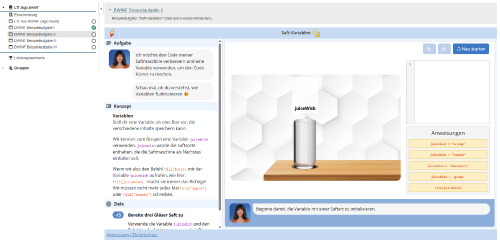
Example “algo.bwinf"The algo.bwinf platform provides practice materials for the Bundesweiten Informatikwettbewerbe - BWINF (National Computer Science Competitions) Informatik-Biber, the Jugendwettbewerb Informatik (Youth Computer Science Competition), and the Bundeswettbewerb Informatik (National Computer Science Competition). It is suitable both for motivated pupils who are preparing independently to take part in the national competition, and for school classes studying topics in the field of algorithms. Find out more about the platform on the website https://algo.bwinf.de . Integrate the platform directly into OPAL as an LTI tool and make use of the option to transfer marks for specific assignments. Implementation steps
Open detailed integration instructions
|  |
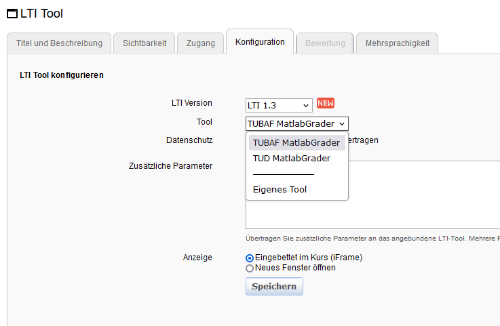
Example "MATLAB Grader"With a valid MATLAB Grader licence (often part of the MATLAB Campus-Wide Licence), you can register OPAL as an LTI 1.3 platform and then configure it within OPAL. Further information is available on the MATLAB page Integration von MATLAB Grader in andere LMS - LTI 1.3. Some universities have already integrated MATLAB Grader as a standalone LTI tool directly in OPAL, requiring only the selection of the tool. Only tools that are available to your institution are displayed. Implementation steps
|  |
Example "WordPress"WordPress is a widely used Content Management System (CMS) that simplifies the creation and management of websites, blogs, and learning platforms. Plugins can be used to add e-learning functionality to WordPress. The LTI 1.3 integration allows WordPress content to be embedded directly into OPAL courses. Further information on WordPress can be found at https://wordpress.org. Implementation steps
|  |