

Kprim
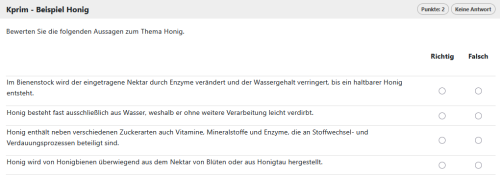
 Kprim tasks consist of several – typically four – statements. Learners decide whether each statement is true or false. Scoring is based on the Kprim rule: depending on the number of deviations from the correct solution, full, half or no points are awarded.
Related Topics
Question & Answer tab
Function | Description |
|---|---|
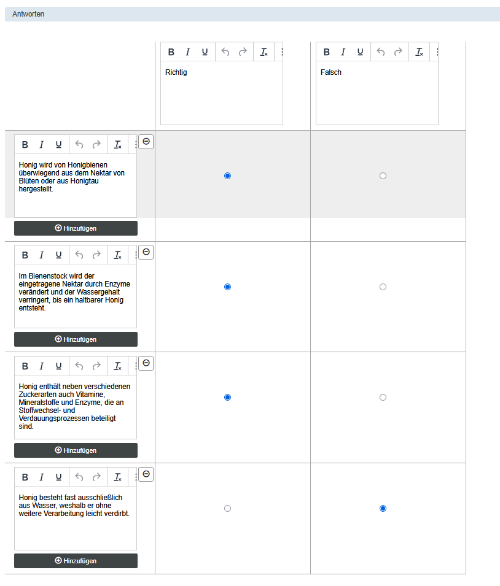
Source elements | Enter your statements here. Four statements are standard, but you can adjust the number of source elements to suit the task. Edit the text fields according to your needs. |
Target elements (true/false) | For each statement, there are exactly two fixed answer columns (true / false). You cannot add or delete any columns. You can, however, freely edit the column headings (e.g. ‘Applies’ / ‘Does not apply’). |
| Providing correct answers and assessment | Decide whether each statement (source element) is true or false. |
Assessment tab
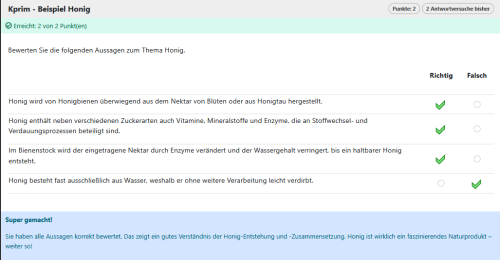
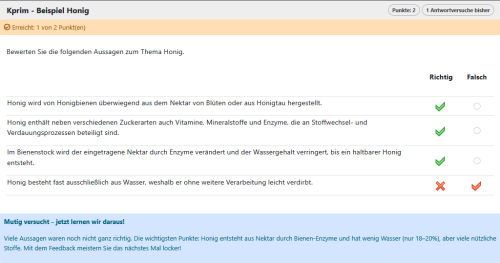
In the Assessment tab, only the Kprim assessment option (full, half, or no points) is available. You cannot change this for this question type, and it follows the Kprim rule: depending on the number of deviations between the learner’s answer and the correct solution, the question is awarded full, half, or no points. Participants receive full points if all answers are correct, half points if one answer is incorrect, and no points if two or more answers are incorrect.
Options tab
In the Options tab, Kprim tasks only feature the “Random order” setting. This is enabled by default. When enabled, the individual answers (source items or lines) are displayed in random order. The two answer columns, “correct” and “incorrect”, always remain in their original positions. In terms of functionality, this option corresponds to the setting “Shuffle first answer set (source elements)”.