

External HTML editors
Last modified by Moritz Baumgarten on 15.01.2024
Open HTML pages with the built-in text editor
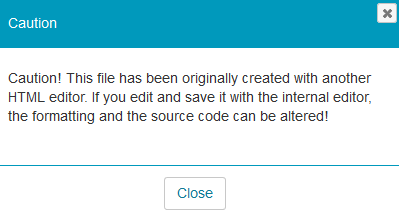
If you created your HTML page with an external editor, do not open and save it with the built-in text editor. Otherwise, parts of the formatting and interactive functions may be lost.
The learning platform will show you the following information if you try to edit such an HTML page.
Links
By default, all links open in the same window or browser tab. The linked content is also displayed on the entire page and not only in the content area of the course home page or the course element. If you wish to change this behaviour, you need to make the following adjustments to your links in the HTML code:
Open links in a new window or browser tab
<a data-cke-saved-href="..." href="..." target="_blank" title="...">My link</a>
Open links within the HTML page (iframe)
<a data-cke-saved-href="..." href="..." target="_self" title="...">My link</a>