Warnung: Aus Sicherheitsgründen wird das Dokument in einem eingeschränkten Modus angezeigt, da es sich nicht um die aktuelle Version handelt. Dadurch kann es zu Abweichungen und Fehlern kommen.
Das Makro [layout] ist ein eigenständiges Makro und kann nicht inline verwendet werden. Klicke auf diese Nachricht, um Details zu erfahren.
Dieses Makro generiert eigenständige Inhalte. Als Konsequenz müssen Sie sicherstellen, dass Sie eine Syntax verwenden, die Ihr Makro von dem Inhalt davor und danach trennt, sodass es in einer eigenen Zeile steht. Zum Beispiel bedeutet dies in XWiki Syntax 2.0+, dass Sie 2 Zeilenumbrüche haben, die Ihr Makro von dem Inhalt davor und danach trennen.
{{/sv-translation}}
Options in the topics overview | In the overview table, the following functions are available: | | Clicking on the title of a topic in the topics overview opens the relevant topic. |
|---|
| | Unbekanntes Makro: includeplus. Klicke auf diese Nachricht, um Details zu erfahren. Das Makro [includeplus] befindet sich nicht in der Liste der registrierten Makros. Überprüfen Sie die Schreibweise oder wenden Sie sich an Ihren Administrator. |
|---|
| | Unbekanntes Makro: includeplus. Klicke auf diese Nachricht, um Details zu erfahren. Das Makro [includeplus] befindet sich nicht in der Liste der registrierten Makros. Überprüfen Sie die Schreibweise oder wenden Sie sich an Ihren Administrator. |
|---|
|
| Depending on the user's rights, the following functions are available for an open topic and the posts it contains: | | Clicking this button will directly take you to the post overview. The post overview lists all existing topics. |
|---|
| | Clicking this button takes you to the last post created on the respective topic. |
|---|
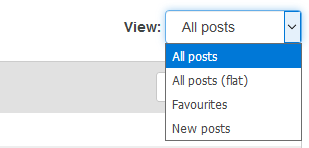
| | Here you can filter the displayed posts. You can choose between four different post views. For example, you can view all posts or just the most recent ones.
The following settings are available ...
- All posts
- All posts (flat)
- Favourites
- New posts
| |
|
|---|
| | With this option, it is possible to reply directly to a post. You should use this function if you want to reply to a post other than the last one in the thread. The reply is displayed directly below the entry concerned.
Learn more ...
- Click on the arrow next to the post you want to reply to.
- A reply window opens. Enter your reply, add a file if necessary, and click on Save .
- Your reply will now be displayed directly below the post.
| |
|
|---|
| | Click on the star to mark a post as a favourite. You can undo this process at any time by clicking on the star again. |
|---|
| | Using this option, you can mark the best post on a topic. |
|---|
| | With this button, you can save your posts to the ePortfolio. |
|---|
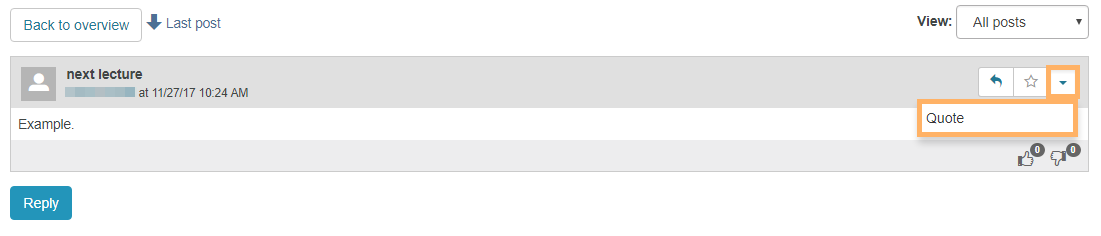
| | This option allows you to quote, edit, or delete posts.
Quote post ...
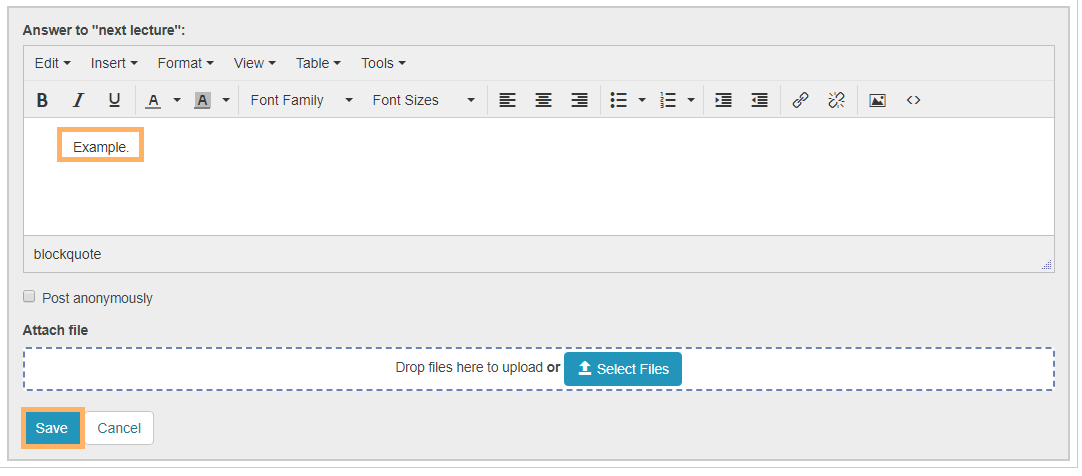
The Quote function allows the user to refer directly to a specific statement from another user. In this way, the overview in the discussion is for example maintained. - Click on the expand icon and select Quote .
| | 2. It opens the reply field with the quoted text in the upper area. Enter your reply below the quote and click on Save . | |
Edit post ...
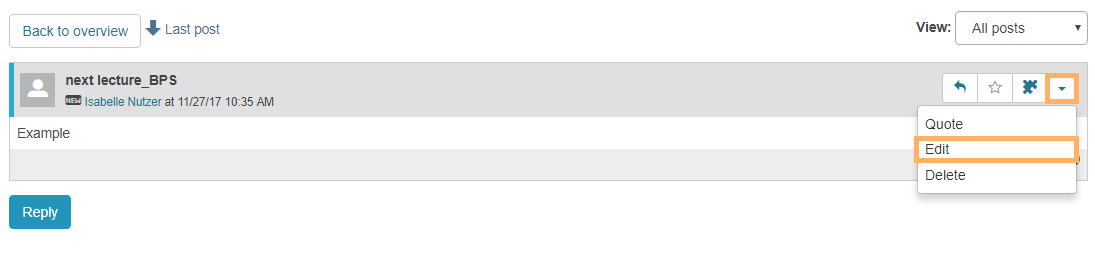
To edit your reply, proceed as follows: - Click on the expand icon and select Edit .
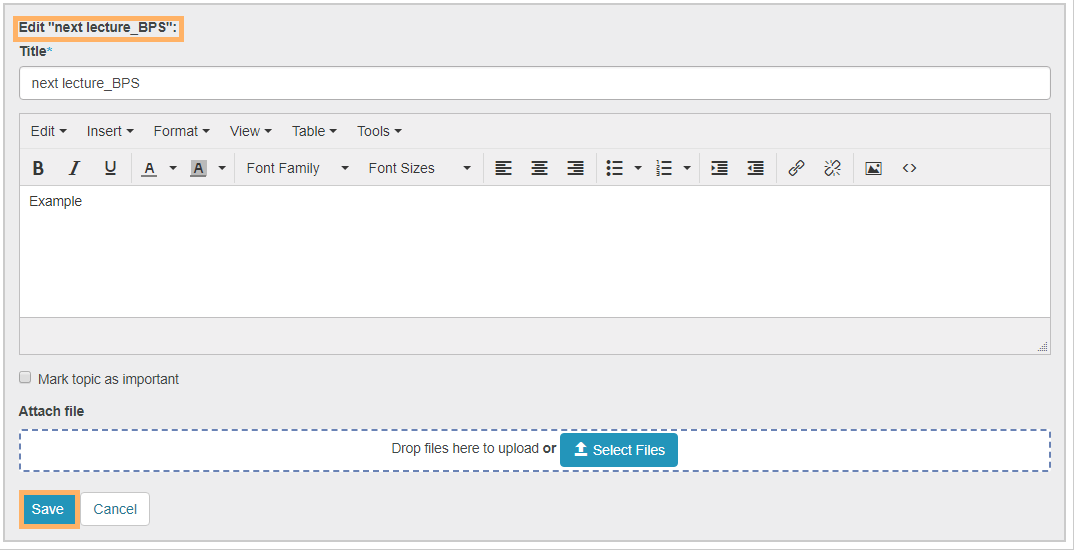
| | 2. You are now in the editing mode. Make your desired changes and click on Save to complete the editing process. | |
Delete post ...
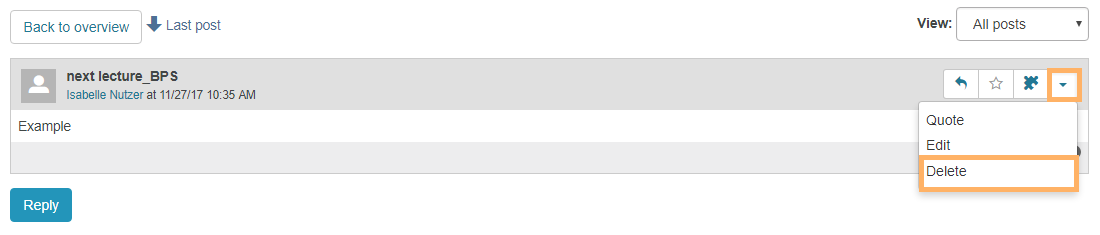
To delete a reply, proceed as follows: - Click on the expand icon and select Delete .
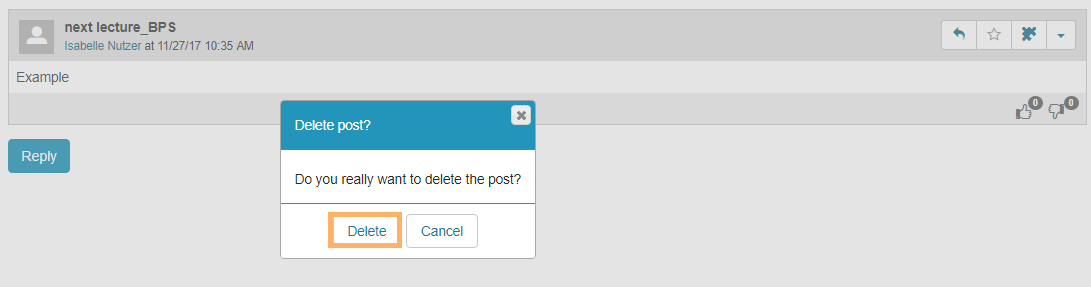
| | 2. Confirm the deletion process with Delete . | |
|
|---|
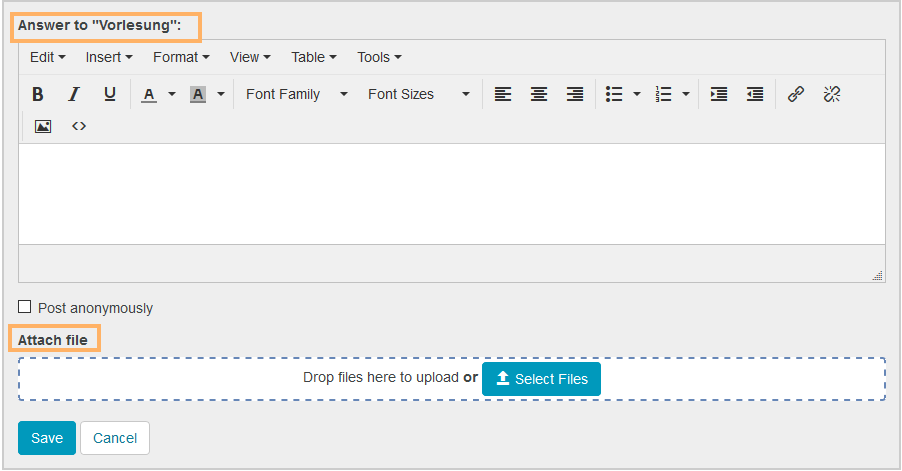
| | Use this button to reply to the last post. The given answer is displayed at the end of the thread.
Learn more ...
- Click on Reply .
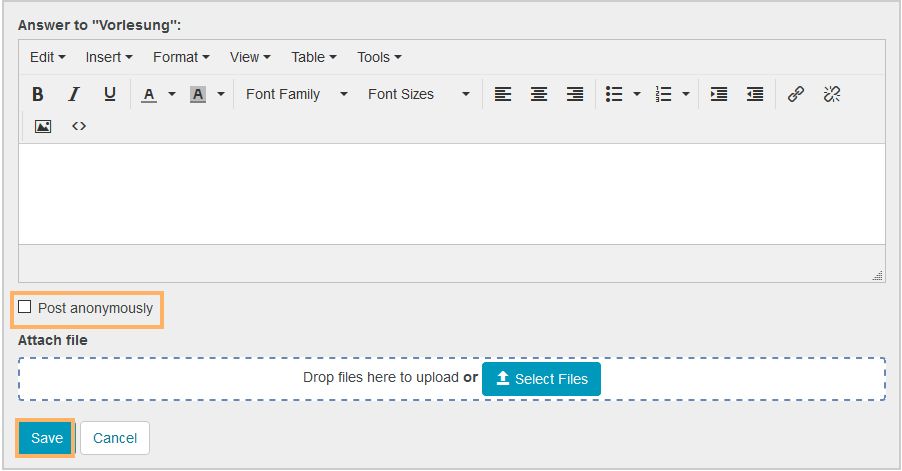
- A reply window opens. Enter your reply in the appropriate text field. Upload a file if necessary.
| | 3. If anonymous posting has been enabled by the course author, you have the option of marking your post as anonymous. To do so, activate the checkbox Post anonymously . 4. Click on Save . | |
|
|---|
| | Unbekanntes Makro: includeplus. Klicke auf diese Nachricht, um Details zu erfahren. Das Makro [includeplus] befindet sich nicht in der Liste der registrierten Makros. Überprüfen Sie die Schreibweise oder wenden Sie sich an Ihren Administrator. |
|---|
| | Users with the right to moderate have, among other things, the option to release posts, close topics, and delete other users' posts.
Functions for moderators ...
Unbekanntes Makro: includeplus. Klicke auf diese Nachricht, um Details zu erfahren. Das Makro [includeplus] befindet sich nicht in der Liste der registrierten Makros. Überprüfen Sie die Schreibweise oder wenden Sie sich an Ihren Administrator. |
|---|
|