

Inhalte im Aufgabenpool Mathematik ansehen
1 | Öffnen Sie die Testressourcenansicht. Sie sehen anschließend alle für Sie verfügbaren Ordner und Inhalte im OPAL Community Repositorium. Neben allen eigenen Einträgen finden Sie den Ordner "Aufgabenpool Mathematik" in der Navigationsliste. |
|
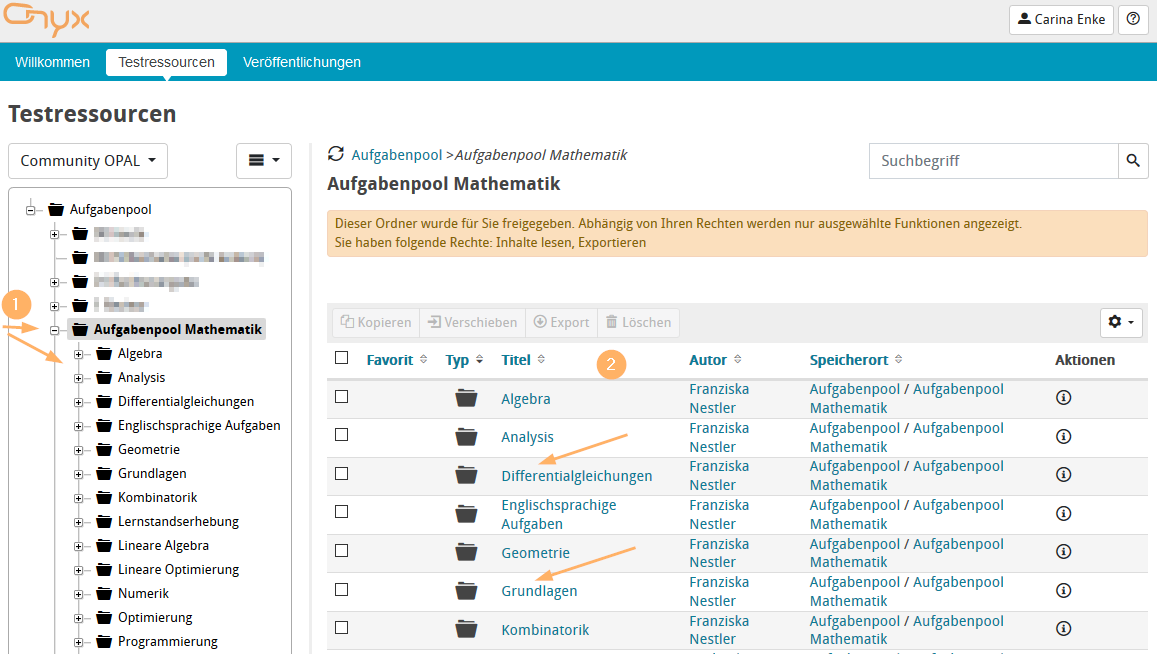
2 | Zum Öffnen der Inhalte können Sie den linken Navigationsbereich (1) nutzen oder in der Tabelle direkt über entsprechende Links (2) in weiterführende Ordner wechseln. |
|
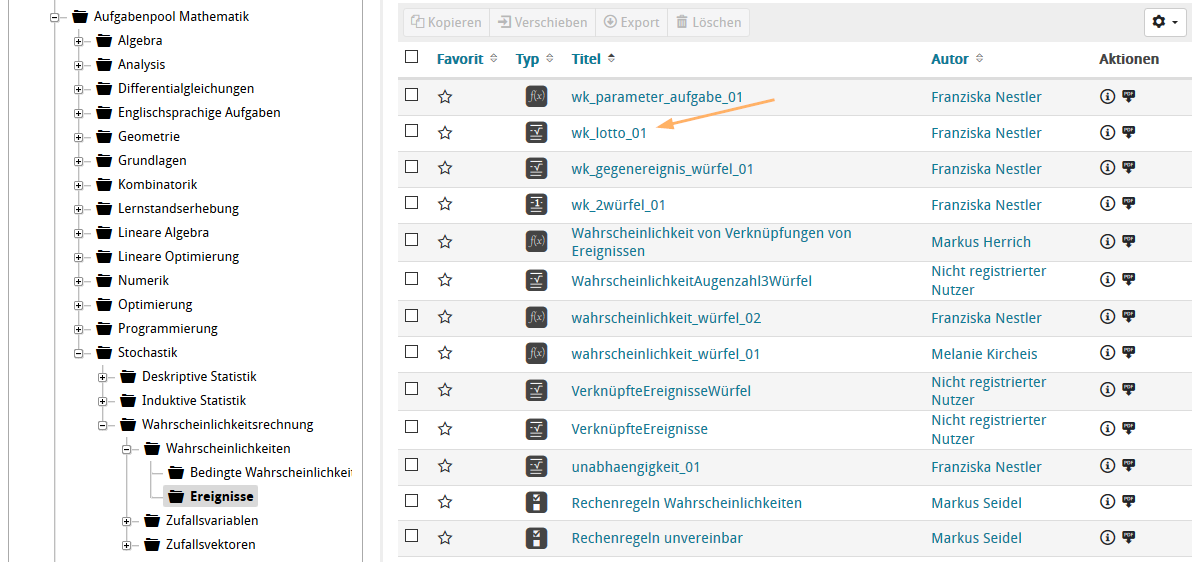
3 | Zu jedem Inhalt (Aufgabe, Test, Fragebogen) können Sie mit Klick auf den Titel die Vorschau starten und den Inhalt so ausprobieren. |
|
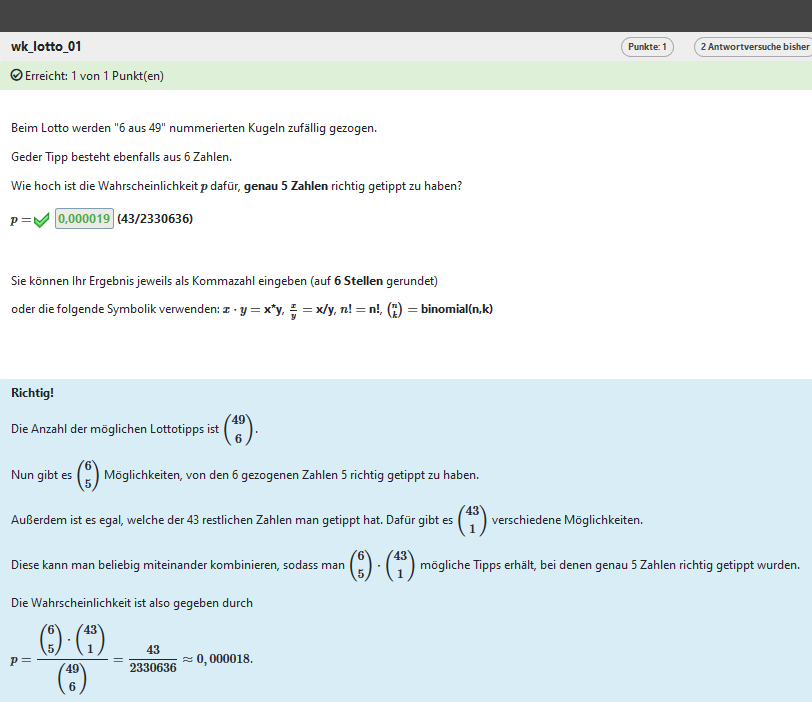
4 | Sie können die Inhalte in der Vorschau selbst beantworten und auswerten lassen. Je nach Konfiguration des Autors sehen Sie Feedback-Angaben und Hinweise zu ihrer Lösung. Je nach Inhalt werden weitere technische Prüfmöglichkeiten unter der Antwort angezeigt. |
|
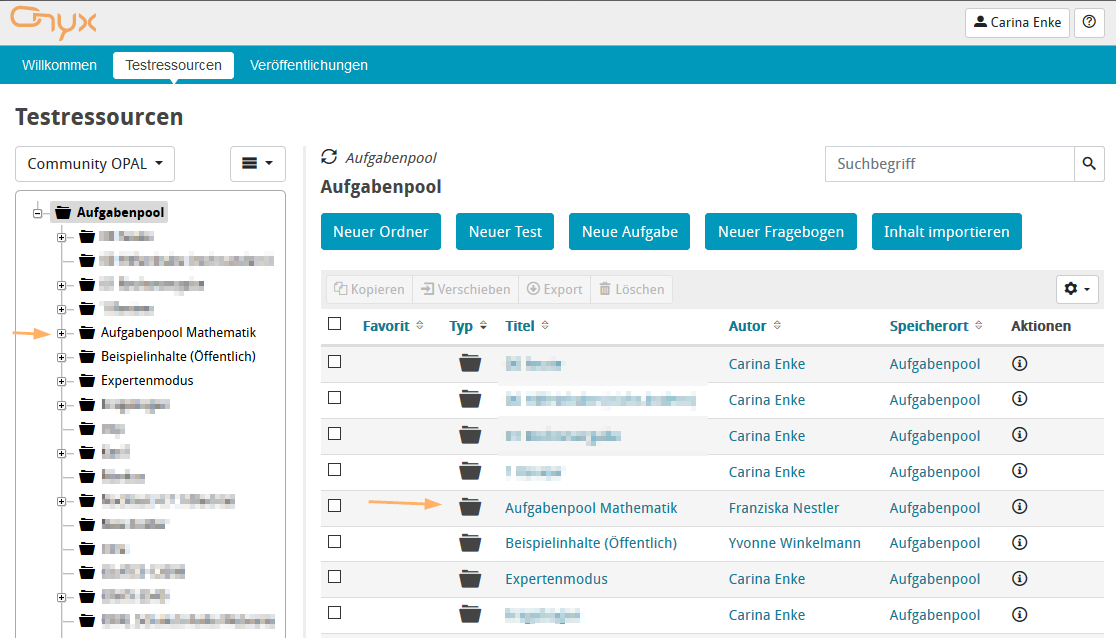
1 | Open the Test resources view. You will then see all the folders and content available to you in the OPAL Community repository. Next to all own entries, you will find the folder "Question bank mathematics" in the navigation list. |
|
2 | To open content, you can use the left navigation area (1) or go directly to the related folders via the corresponding links (2) in the table. |
|
3 | For each type of content (question, test, survey), you can start the preview by clicking on the title to try out the content. |
|
4 | Specifically, the preview allows you to answer questions and receive an evaluation. Depending on the configuration of the author, you will see feedback and hints on the solution. Depending on the content, additional technical testing options will be shown below the answer. |
|