Copy Resource
Last modified by Carina Enke on 18.11.2025
To copy a resource, proceed as follows:
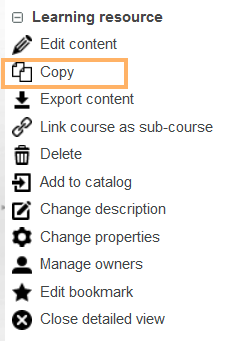
Switch to the detailed view of the resource you want to copy and select Copy from the menu on the right. |
|
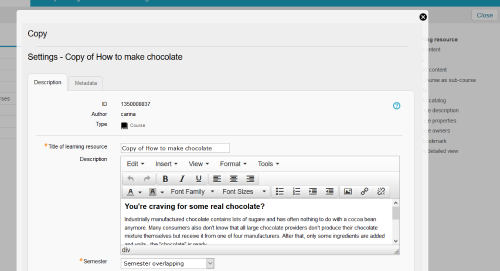
You have the possibility to customise the title, description, semester and image of the resource. Click on Save and then on Next. |
|
The resource has been copied. You will find it in the opened tab Teach & Learn. However, the copied resource will not yet be accessible to users. For more information, refer to the help page Publishing courses and course content. |
|